Solution · Holiday resorts and country estates

Holiday resort website with cottage booking

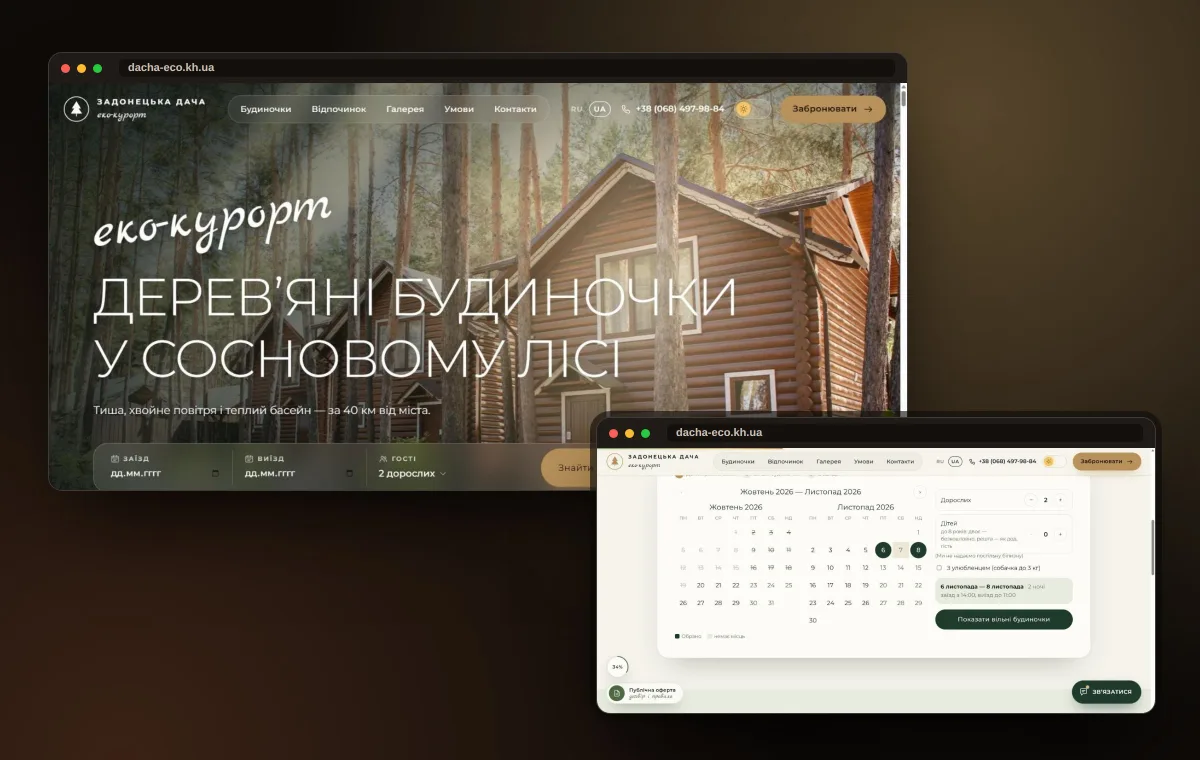
Guests see available cottages for their dates, the price with a sauna or a barbecue, and book online. Administrators stop living in their phones and messengers.
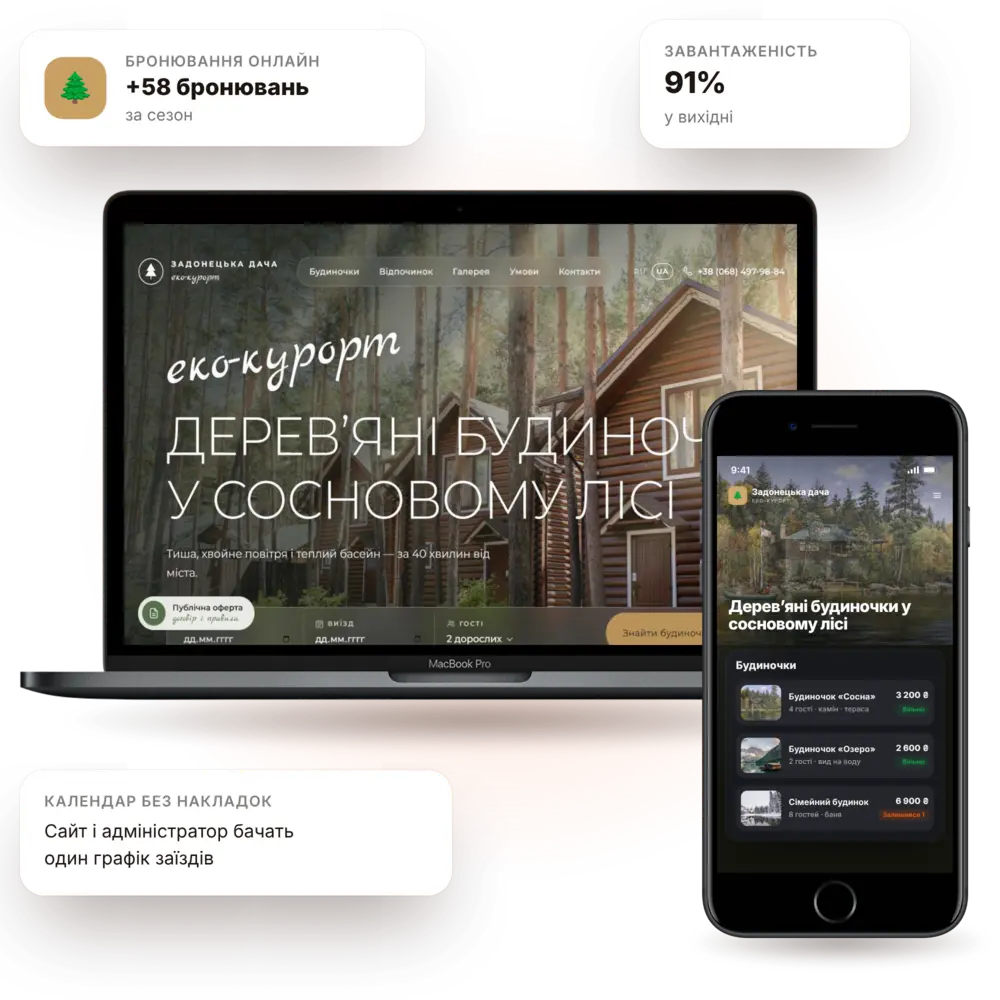
Launch in 7–10 daysCottage catalogOnline bookingTurnkey
Resort and country estate website — a PanoVision solution example

The situation

How it is now — and how it will be

Bookings in notebooks and messengersDates are easy to mix up, and in peak season half the requests simply get lost.
Guests can't see what's availablePeople ask "do you have anything this weekend?" and go wherever they get an answer faster.
Add-on services don't sellSauna, barbecue, fishing — guests only learn about them on arrival.
Seasonality hits revenueOutside the season cottages sit empty because there's no channel for special offers.
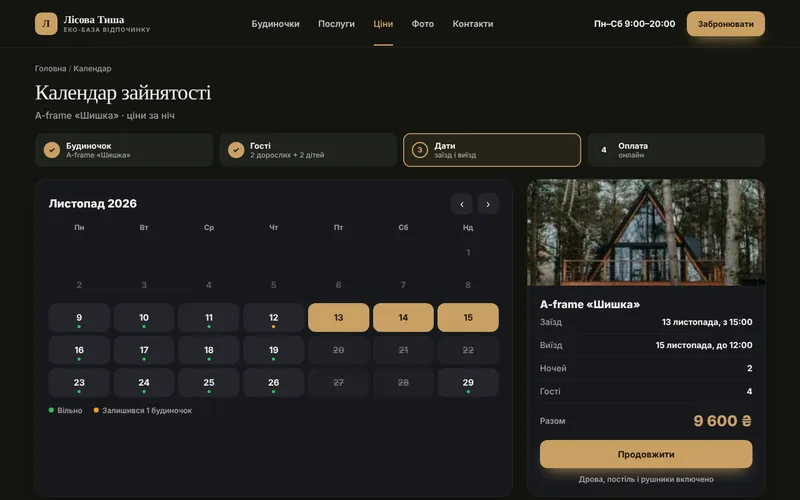
Occupancy calendarEvery cottage has its own calendar — double bookings are impossible.
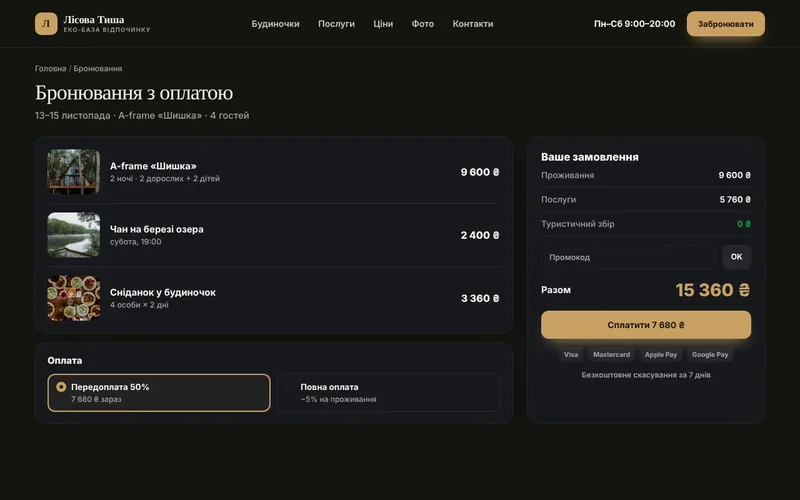
Prepaid bookingsDates, guests, services and payment — with no phone call needed.
Upselling servicesSauna, hot tub, barbecue and breakfasts are added directly to the booking.
Working in the off-seasonPromotions, weekend packages and email campaigns to your guest base.

Features

What the site includes

Everything for a resort: from showing the grounds to repeat bookings from regular guests.

pv-in-resort-o

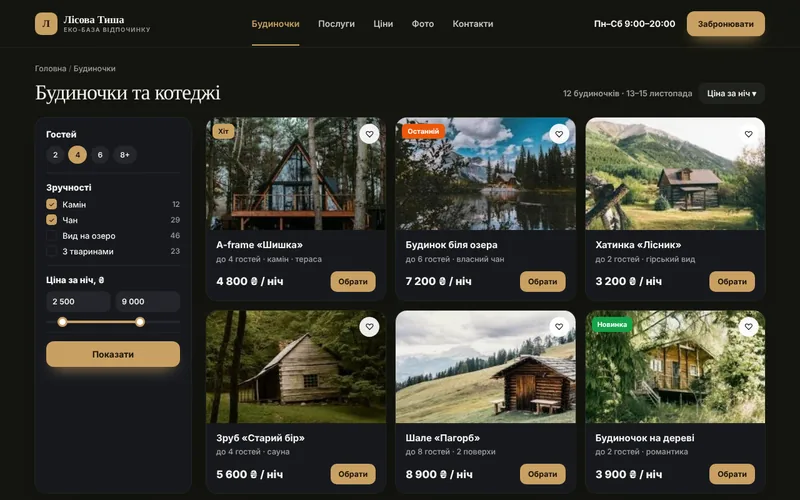
Cottage catalog

Photos, capacity, amenities and seasonal prices.
pv-ic-shop-o

Online booking

Pick dates and a cottage with an instant price calculation.
pv-ic-chart-o

Seasonal prices and packages

Weekdays, weekends, holidays and weekend packages — in one click.
pv-ic-chat-o

Notifications and reminders

Confirmations, directions and a reminder the day before.
pv-ic-360-o

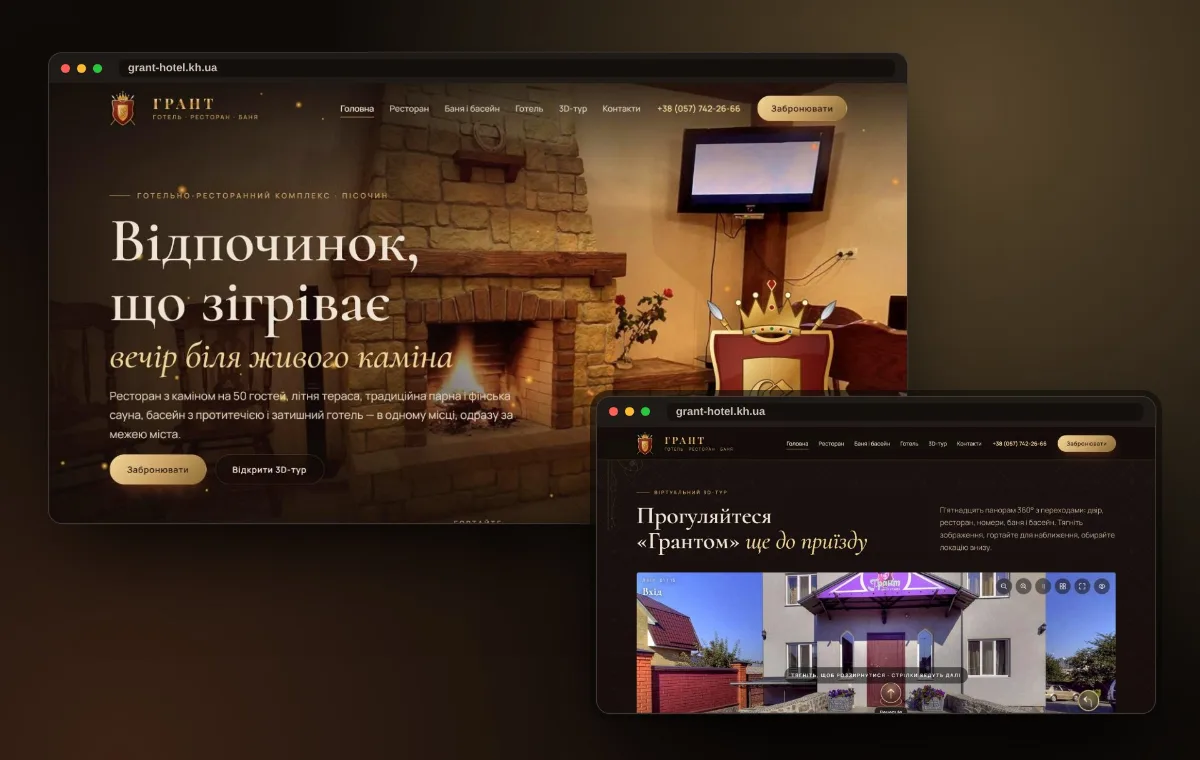
Virtual tour of the grounds

Panoramas of the forest, the lake and the cottages — guests feel the atmosphere.
pv-ic-api-o

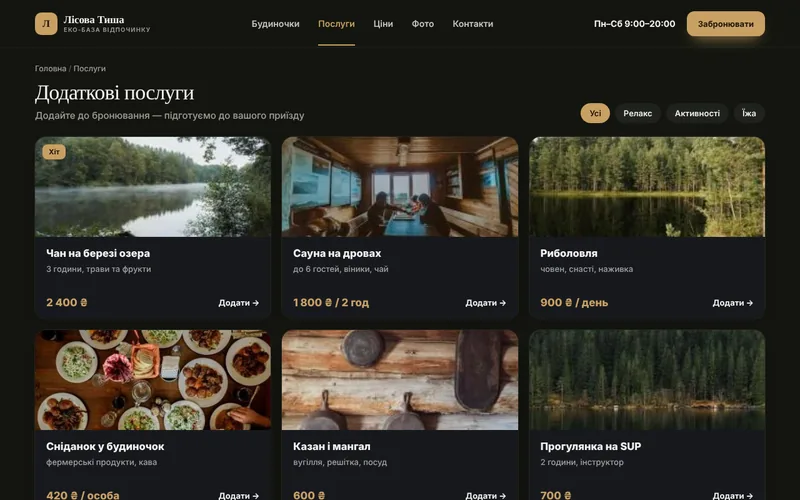
Add-on services

Sauna, barbecue, equipment rental — priced right into the booking.
pv-ic-shield-o

Administrator dashboard

Booking grid, payments, statuses and occupancy reports.
pv-ic-mobile-o

Mobile-friendly

Most guests book from their phone — the interface is built for that.
pv-ic-ads-o

Seasonal advertising

Landing pages for family holidays, corporate retreats and fishing.

How it works

The client journey from click to order

What happens on the site step by step — and where your team comes in.

1The client finds youThey arrive from search, ads or social media and immediately see what you offer.
2Cottage catalogPhotos, capacity, amenities and seasonal prices.
3Online bookingPick dates and a cottage with an instant price calculation.
4Seasonal prices and packagesWeekdays, weekends, holidays and weekend packages — in one click.
5You receive the requestThe request lands in your CRM and messenger with all the details — you just confirm.

Structure

Which screens will be on the site

The core pages of the solution, so you can see the scope of work and site logic right away.
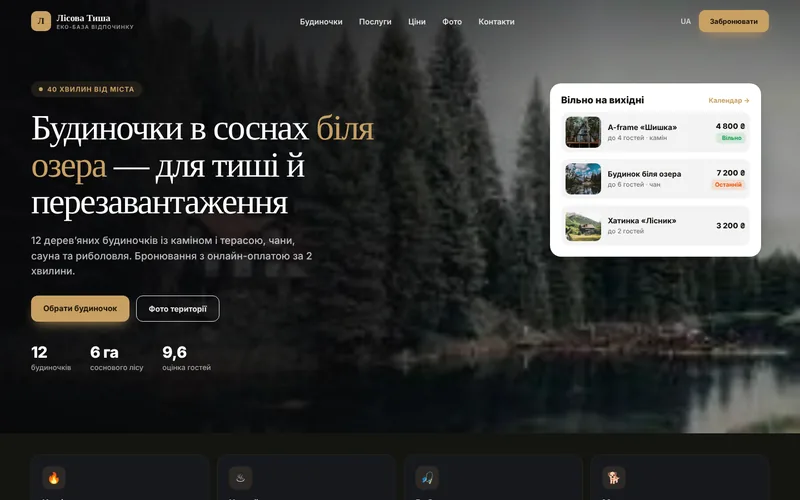
Screen 1
Resort homepage — a website screen example
Resort homepage
Screen 2
Cottages and cabins — a website screen example
Cottages and cabins
Screen 3
Occupancy calendar — a website screen example
Occupancy calendar
Screen 4
Add-on services — a website screen example
Add-on services
Screen 5
Booking with payment — a website screen example
Booking with payment
Screen 6
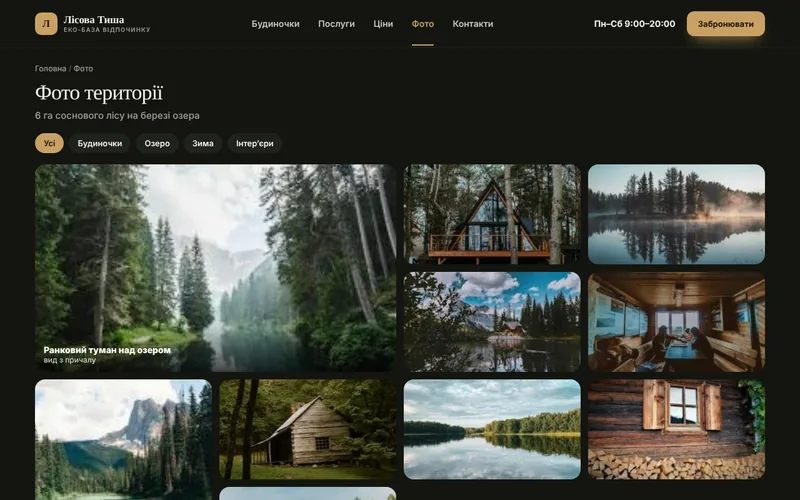
Grounds photos — a website screen example
Grounds photos

Integrations

We connect the tools you already use

Your website doesn't work in isolation: leads, payments, documents and notifications flow between your services automatically.

Online paymentsMapsMessengersCalendar syncWeb analyticsContextual advertisingEmail campaignsCRM

Packages

Packages for resorts

We fix the package contents in the brief, and discuss pricing individually based on your goals.

StartOn request7–10 daysA resort website with cottages and a request form.
  • Design that matches the resort's atmosphere
  • Cottage catalog and galleries
  • Request form and notifications
  • Directions map and SEO foundation
BusinessOn request2–3 weeksWebsite with calendar and booking.
  • Everything from the Start package
  • Availability calendar
  • Booking with prepayment
  • Add-on services in the booking
MaximumOn requestfrom 4 weeksDatabase system: admin area, reports, automations.
  • Everything from the Business package
  • Administrator dashboard and reports
  • Territory tour
  • Seasonal mailings and promotions

Process

How we work

01

Brief and audit

We analyze your processes, competitors and what is bringing you revenue right now.
02

Prototype and design

Page structure and visuals: you see the result before development.
03

Development and integrations

We build the website, modules, payments and notifications, then test on real scenarios.
04

Launch and growth

We move to the production server, train your team and provide ongoing support.
1Can I take a partial prepayment?

Yes, you can set a percentage or a fixed amount — the rest is paid on site.

2We have different prices for weekdays and weekends

This is a standard setup: prices are set by day of the week, season and holidays.

3What about bookings made by phone?

The administrator adds them to the same availability grid, so the calendar on the website is always up to date.

4Can I show occupancy?

Yes, guests see available dates and, if you want, a hint like “only 2 cottages left”.

Contacts

Tell us about your challenge — we'll propose a solution

Describe how everything works right now. We'll come back with a solution, budget and timeline.

  • Quick project assessment and work plan
  • Fixed stages and transparent budget
  • One team: development, AI, and advertising
  • Support and growth after launch

Project inquiry