Solution · Law firms

Website for a law firm and legal practice

Practice areas, case studies, team and clear terms of work. Clients see that you handle their type of case and book a consultation without a phone call.
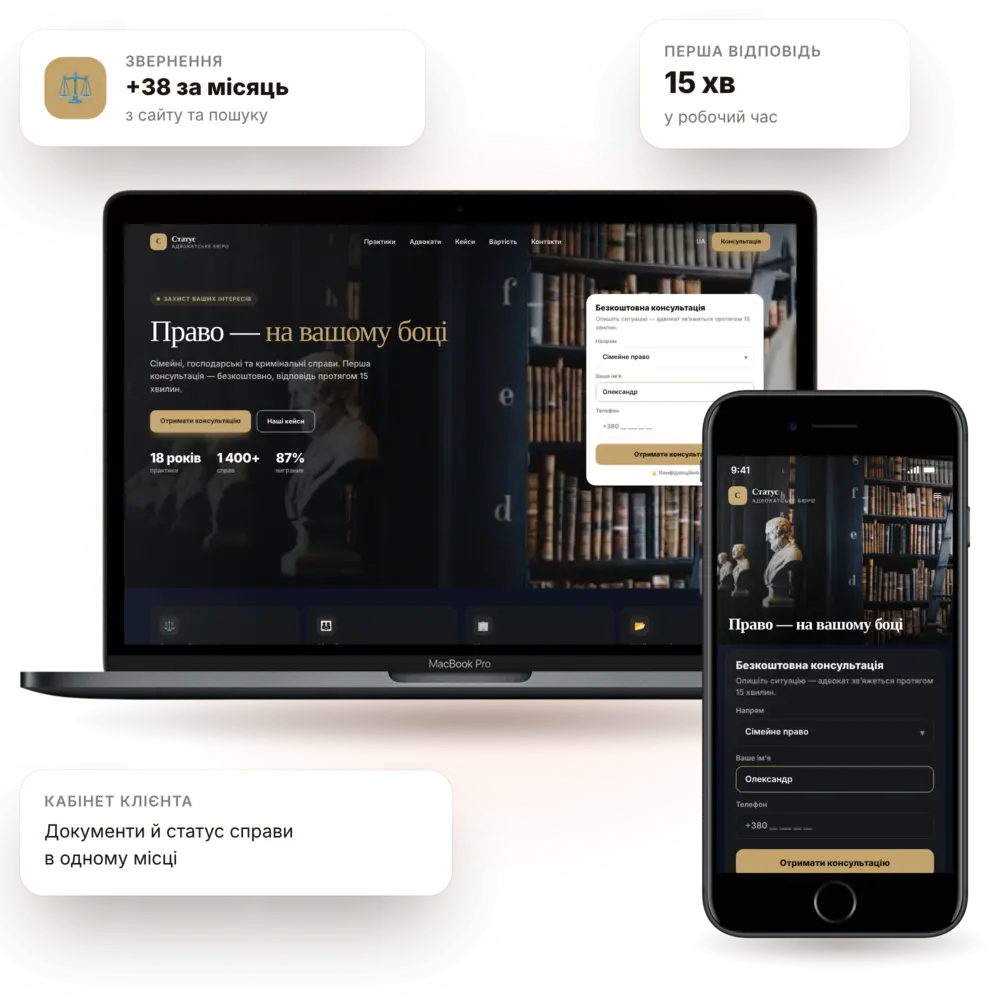
Launch in 7–10 daysPractice areas and servicesTeam and experienceTurnkey
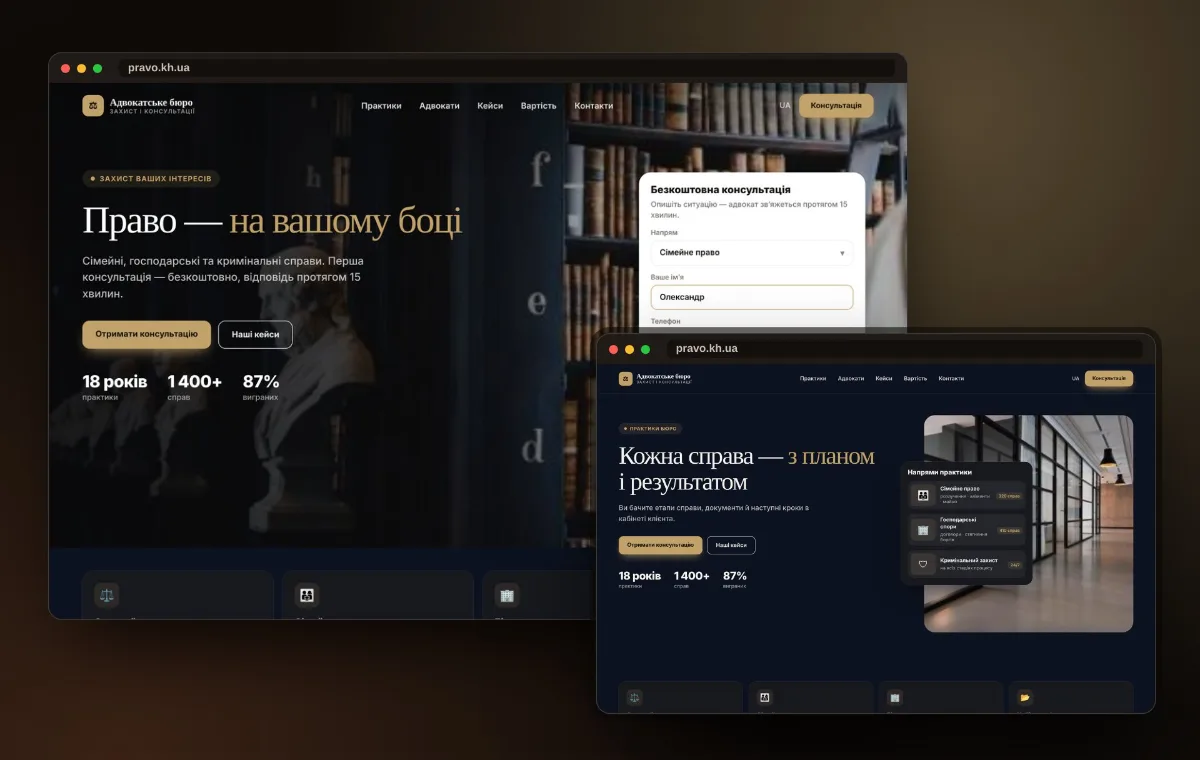
Law firm website — PanoVision solution example

The situation

How it is now — and how it will be

The website doesn't inspire trustA template look and generic phrases — clients go to whoever looks more established.
It's unclear what you doA list of services without explanation doesn't help people recognize their situation.
Consultations are scheduled over daysPhone calls, reschedules, forgotten agreements.
Document flow lives in emailFiles get lost in correspondence, and clients keep asking about status.
Premium and restrained lookDesign that matches the level of your fees.
Practice areas in the client's languagePages by case type: what we do, how long it takes, what the result is.
Online consultation bookingChoice of format, date and time with confirmation.
Client portalCase status, documents and communication history in one place.

Features

What the site includes

A website that builds trust before the first meeting — and saves time on routine work.

pv-in-legal-o

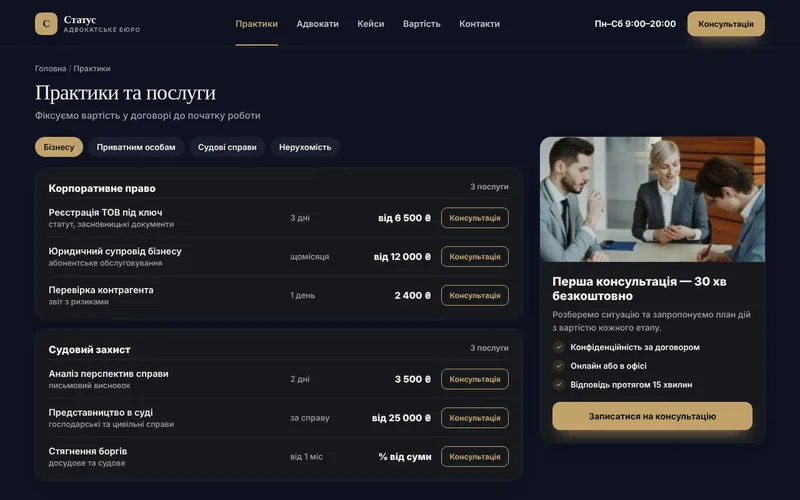
Practice areas and services

Separate pages for each area, explaining the process and timelines.
pv-ic-shield-o

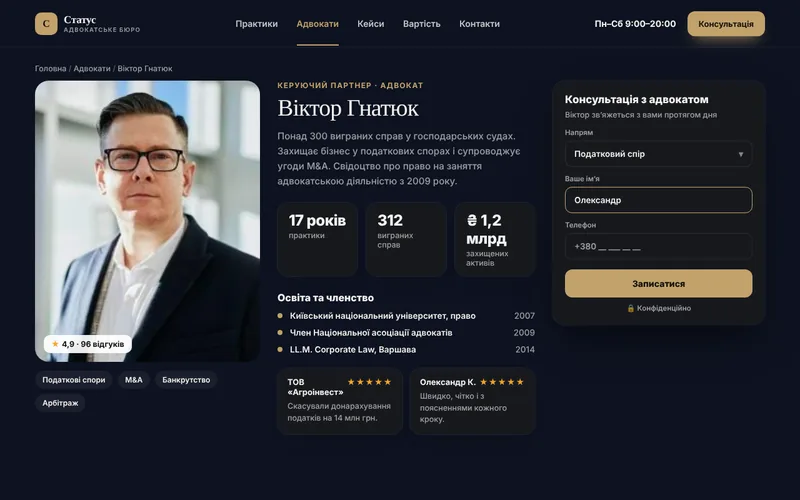
Team and experience

Lawyer profiles, specializations, publications and wins.
pv-ic-chat-o

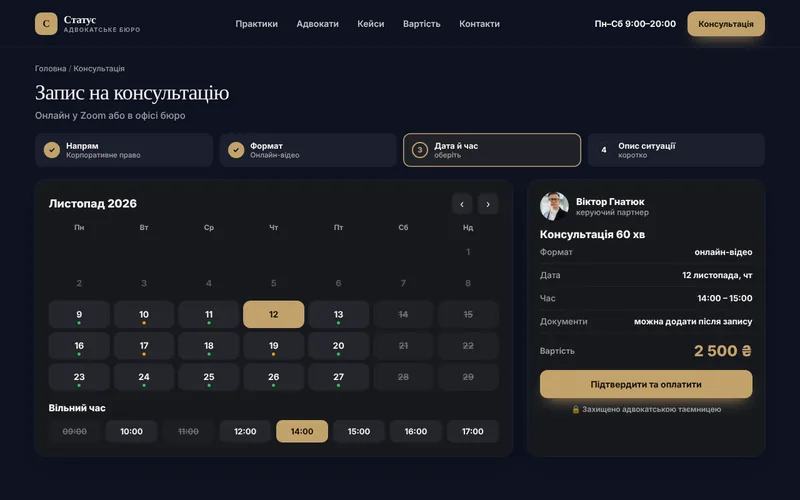
Consultation booking

Online or in person, with time selection and confirmation.
pv-ic-seo-o

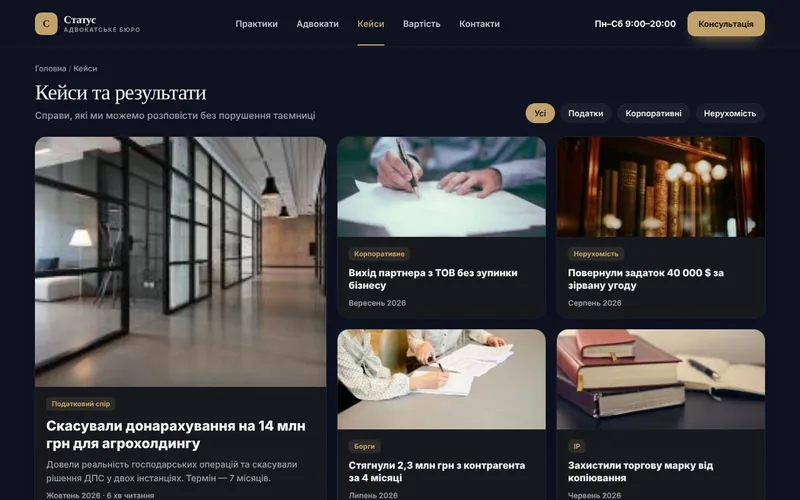
Case studies and results

Anonymous case studies describing the task and the result.
pv-ic-mobile-o

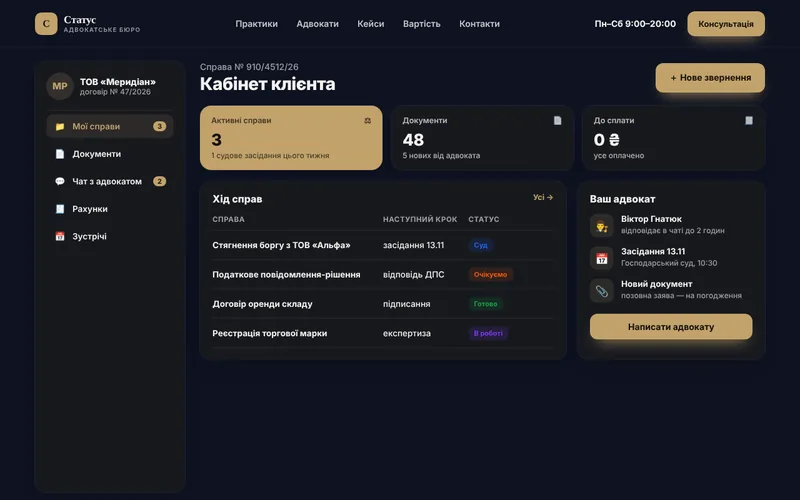
Client account

Case statuses, documents and messages from your lawyer.
pv-ic-api-o

Registry monitoring

Automatic tracking of changes in cases and public registries.
pv-ic-ai-o

AI assistant

Initial qualification of inquiries and matching with the right lawyer.
pv-ic-chart-o

Transparent terms

Engagement formats, fees and stages of work.
pv-ic-ads-o

Advertising by practice area

Landing pages for specific case types and region.

How it works

The client journey from click to order

What happens on the site step by step — and where your team comes in.

1The client finds youThey arrive from search, ads or social media and immediately see what you offer.
2Practice areas and servicesSeparate pages for each practice area, explaining the process and timelines.
3Team and experienceAttorney profiles, areas of specialization, publications and wins.
4Book a consultationOnline or in person, with time slot selection and confirmation.
5You receive the inquiryThe request lands in your CRM and messenger with all details — all that's left is to confirm.

Structure

Which screens will be on the site

The core pages of the solution, so you can see the scope of work and site logic right away.
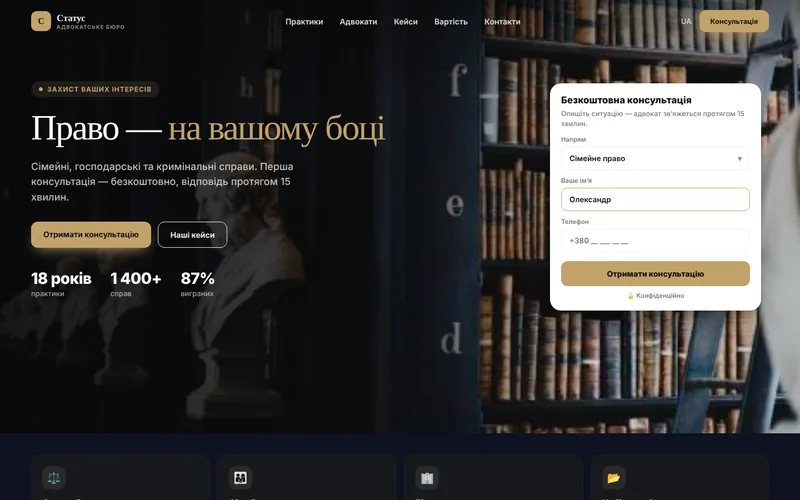
Screen 1
Bureau home page — website screen example
Bureau homepage
Screen 2
Practice areas and services — website screen example
Practice areas and services
Screen 3
Lawyer profile — website screen example
Attorney profile
Screen 4
Consultation booking — website screen example
Book a consultation
Screen 5
Client portal — website screen example
Client portal
Screen 6
Cases and results — website screen example
Case studies and results

Integrations

We connect the tools you already use

Your website doesn't work in isolation: leads, payments, documents and notifications flow between your services automatically.

CRMPublic registriesOnline paymentsMessengersVideo meetingsCalendarsWeb analyticsContextual advertising

Packages

Packages for law firms

We fix the package contents in the brief, and discuss pricing individually based on your goals.

StartOn request7–10 daysCompany website with practice areas and team.
  • Premium design
  • Practice area pages
  • Attorney profiles
  • Booking form and notifications
BusinessOn request2–3 weeksWebsite with online booking and case studies.
  • Everything in Start
  • Online consultation booking
  • Case studies and results
  • CRM integration
MaximumOn requestfrom 5 weeksClient portal and automation.
  • Everything in Business
  • Client portal with cases
  • Registry monitoring
  • AI assistant and automated reports

Process

How we work

01

Brief and audit

We analyze your processes, competitors and what is bringing you revenue right now.
02

Prototype and design

Page structure and visuals: you see the result before development.
03

Development and integrations

We build the website, modules, payments and notifications, then test on real scenarios.
04

Launch and growth

We move to the production server, train your team and provide ongoing support.
1Can we publish case studies without names?

Yes, we describe the task, actions and result without personal data — that is enough to build trust.

2Is it legal to collect client data on a website?

Yes, with proper consent for data processing and secure forms. We set this up for you.

3Do we need a client portal?

It's worth it when you have many cases: it cuts down on the flow of questions like "what's the status of my case?"

4How long does launch take?

A website with practice areas — 7–10 days; with online booking and case studies — 2–3 weeks.

Contacts

Tell us about your challenge — we'll propose a solution

Describe how everything works right now. We'll come back with a solution, budget and timeline.

  • Quick project assessment and work plan
  • Fixed stages and transparent budget
  • One team: development, AI, and advertising
  • Support and growth after launch

Project inquiry