Solution · Heavy equipment rental

Heavy equipment rental website with calendar and calculator

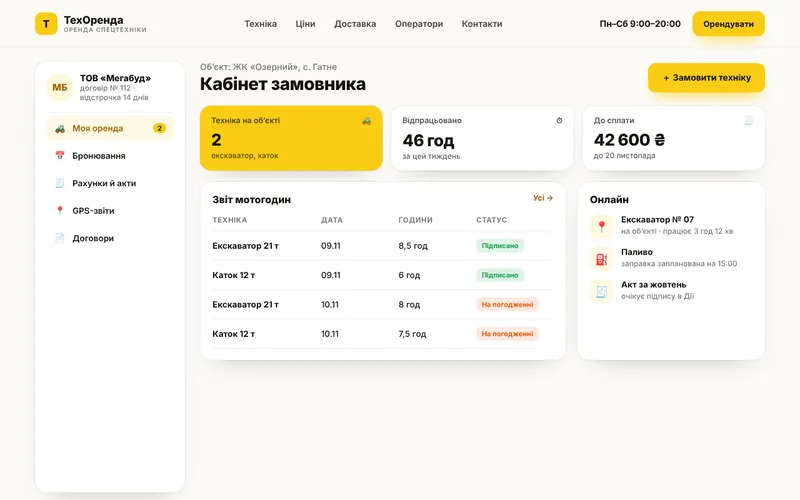
Customers see available equipment for the dates they need, calculate the cost of a shift and book online. Equipment doesn’t sit idle, and dispatchers don’t keep schedules in a notebook.
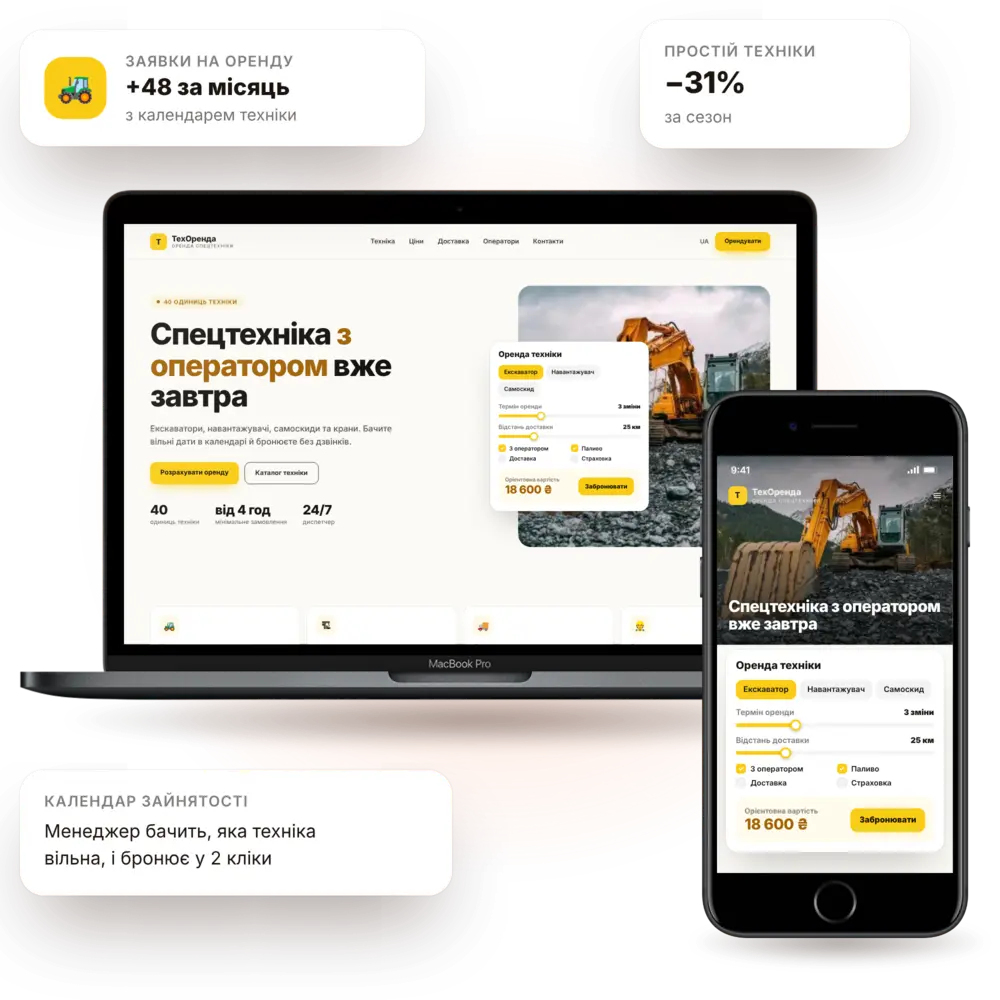
Launch in 7–10 daysEquipment catalogOnline bookingTurnkey
Heavy equipment rental website — PanoVision solution example

The situation

How it is now — and how it will be

Dispatcher's schedule in their headDouble bookings, downtime and stressed calls to customers.
Customers don't know the priceEvery call means a custom quote built from scratch.
No specs availableCustomers can't tell whether the equipment fits their job.
Requests without detailsNo one knows when, where or for how long the machine is needed.
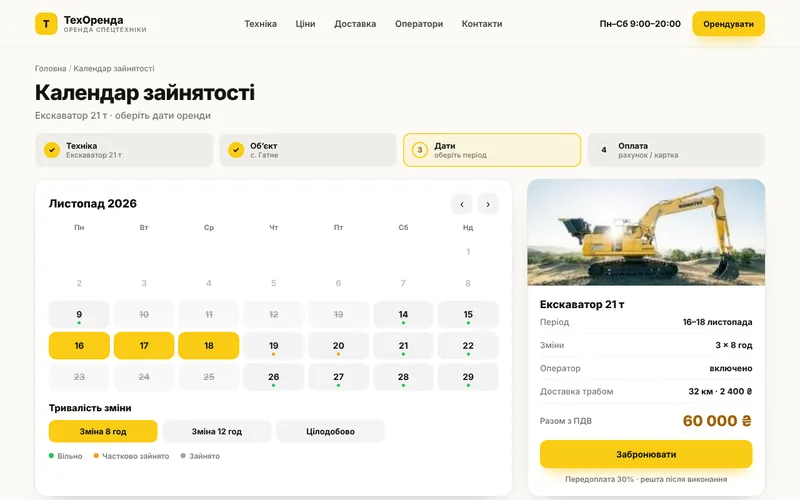
Availability calendarEach unit of equipment has its own schedule — double bookings are impossible.
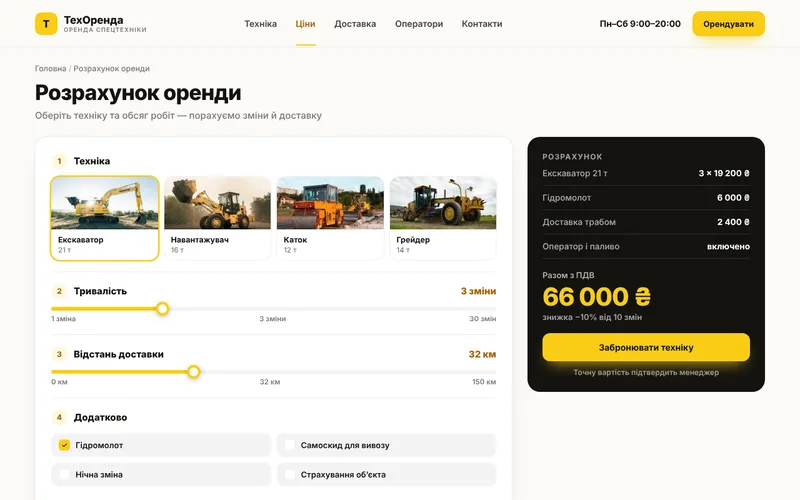
Rental calculationShift, day, month, delivery and operator — everything is factored in.
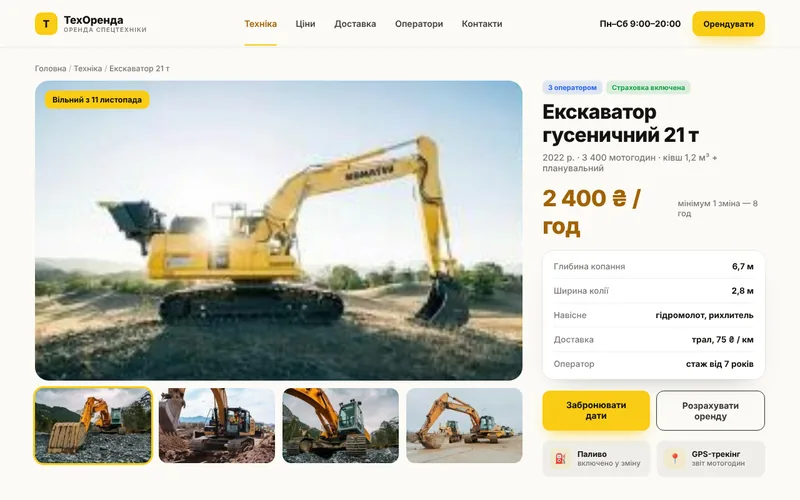
Full specificationsLifting capacity, boom reach, dimensions and photos.
Request with dates and siteThe dispatcher sees the date, address, duration and type of work.

Features

What the site includes

A website that sells equipment rental shifts instead of just showing photos.

pv-in-rental-o

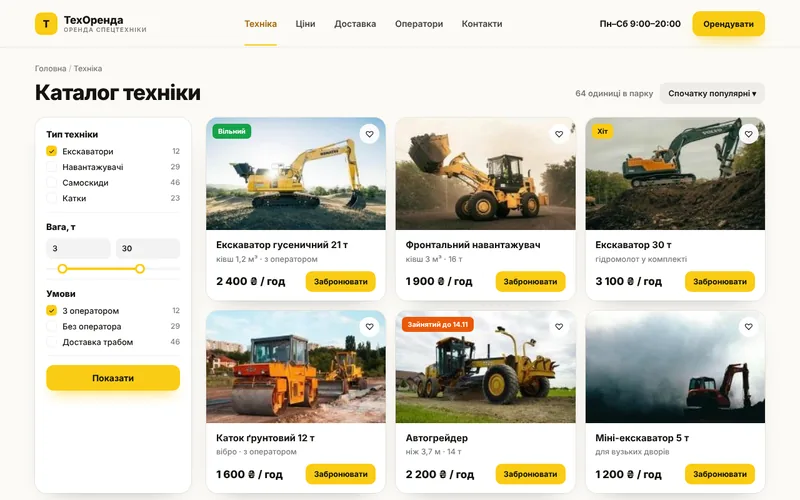
Equipment catalog

Specifications, photos, permitted work and limitations.
pv-ic-shop-o

Online booking

Choose dates, duration and add-on services.
pv-ic-chart-o

Rental calculator

Shift, day, delivery, operator, fuel — with a total.
pv-ic-api-o

Availability calendar

Schedule for each unit of equipment in one place.
pv-ic-chat-o

Notifications

Booking confirmation, reminders and schedule changes.
pv-ic-shield-o

Terms and contracts

Rental rules, insurance and liability.
pv-ic-mobile-o

Customer account

Rental history, documents and repeat requests.
pv-ic-ai-o

AI assistant

Recommends equipment for the type of work and site.
pv-ic-ads-o

Equipment advertising

Landing pages for each machine type and work area.

How it works

The client journey from click to order

What happens on the site step by step — and where your team comes in.

1Customer finds youThey arrive from search, ads or social media and immediately see what you offer.
2Equipment catalogSpecifications, photos, permitted work and limitations.
3Online bookingChoose dates, duration and add-on services.
4Rental calculatorShift, day, delivery, operator, fuel — with a total.
5You receive the requestThe inquiry lands in your CRM and messenger with all the details — you just confirm.

Structure

Which screens will be on the site

The core pages of the solution, so you can see the scope of work and site logic right away.
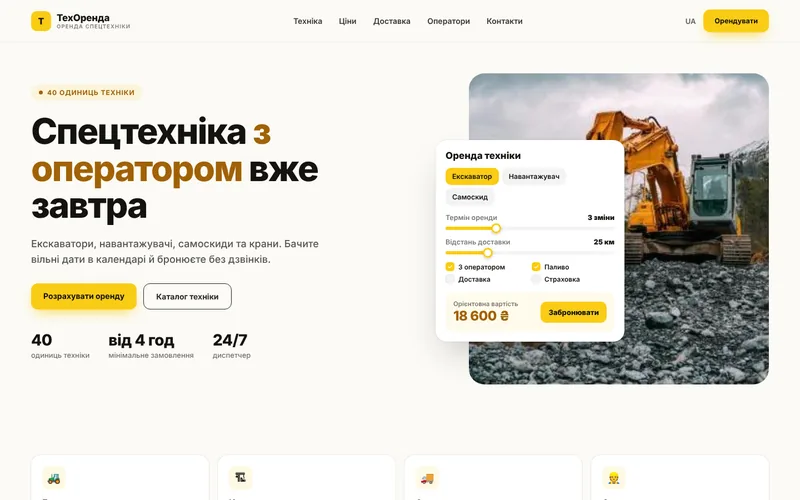
Screen 1
Company homepage — sample website screen
Company homepage
Screen 2
Equipment catalog — sample website screen
Equipment catalog
Screen 3
Equipment unit card — sample website screen
Equipment unit card
Screen 4
Availability calendar — sample website screen
Availability calendar
Screen 5
Rental calculation — sample website screen
Rental calculation
Screen 6
Customer account — sample website screen
Customer account

Integrations

We connect the tools you already use

Your website doesn't work in isolation: leads, payments, documents and notifications flow between your services automatically.

Accounting systemOnline paymentMapsMessengersGPS monitoringCRMWeb analyticsContextual advertising

Packages

Packages for equipment rental

We fix the package contents in the brief, and discuss pricing individually based on your goals.

StartOn request7–10 daysA website with an equipment catalog and request form.
  • Design tailored to the company brand
  • Equipment catalog
  • Request form and notifications
  • SEO foundation and analytics
BusinessOn request3–4 weeksAvailability calendar and rental calculation.
  • Everything in the Start package
  • Calendar for each unit
  • Rental calculator
  • CRM integration
MaximumOn requestfrom 5 weeksCustomer account and automation.
  • Everything in the Business package
  • Account with documents
  • Automatic contracts and invoices
  • AI assistant and reports

Process

How we work

01

Brief and audit

We analyze your processes, competitors and what is bringing you revenue right now.
02

Prototype and design

Page structure and visuals: you see the result before development.
03

Development and integrations

We build the website, modules, payments and notifications, then test on real scenarios.
04

Launch and growth

We move to the production server, train your team and provide ongoing support.
1Can we show availability to customers?

Yes, either in full or only the available dates — whichever you prefer.

2Equipment often breaks down and falls off schedule

There is a «under maintenance» status for this: dates are automatically closed for booking.

3Does the calculator calculate delivery?

Yes, by distance or zones — you define the logic.

4Can equipment be rented with an operator?

Yes, this is a separate option in the calculation with its own rate.

Contacts

Tell us about your challenge — we'll propose a solution

Describe how everything works right now. We'll come back with a solution, budget and timeline.

  • Quick project assessment and work plan
  • Fixed stages and transparent budget
  • One team: development, AI, and advertising
  • Support and growth after launch

Project inquiry