Solution · Auto repair shops and car service

Auto repair shop website with booking and labor cost calculation

The client selects a car make and service, sees the price and available time — and books on their own. The mechanic receives a request with the vehicle, mileage and list of work.
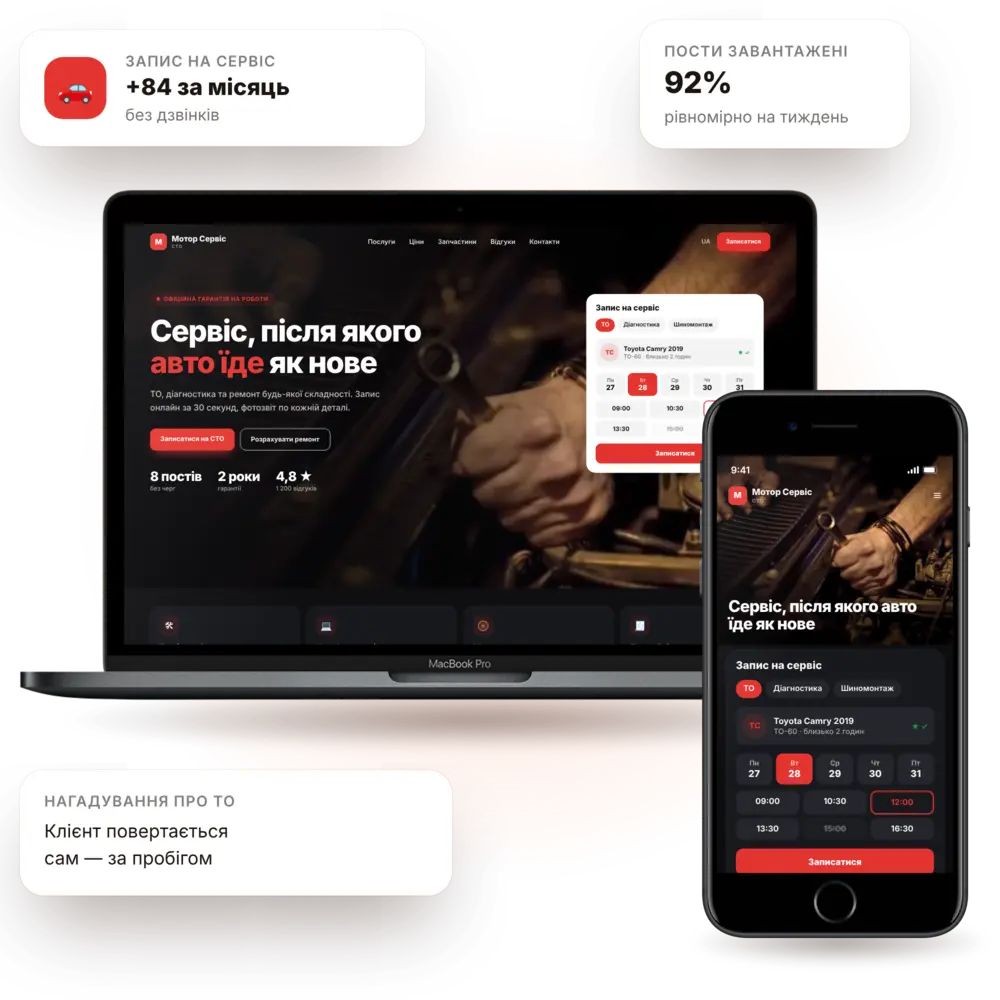
Launch in 7–10 daysService price calculatorOnline bookingTurnkey
Auto repair shop and service station website — PanoVision solution example

The situation

How it is now — and how it will be

Phone calls instead of workYour mechanic gets interrupted by “how much is a service?” ten times a day.
Customers don't understand pricingWithout a reference point, people call competitors and haggle.
Bookings kept in a notebookDouble bookings, idle lifts and forgotten clients.
No repeat visitsNobody reminds customers about maintenance, seasonal tire changes or oil changes.
Online job pricingMake, model, service — and the customer sees the cost and duration.
Booking at free time slotsCustomers pick a day and time, and the lift stays busy.
Requests with vehicle detailsYour team prepares in advance: parts, time, scope of work.
Customers come backAutomatic reminders for maintenance and seasonal services.

Features

What the site includes

Functionality that turns an auto repair website into a system for booking and retaining customers.

pv-in-auto-o

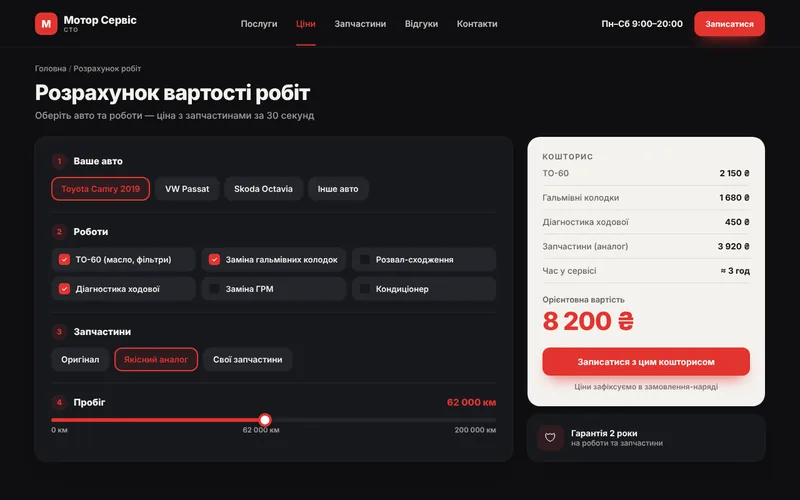
Service price calculator

Prices by make and model with labor hours and duration.
pv-ic-chat-o

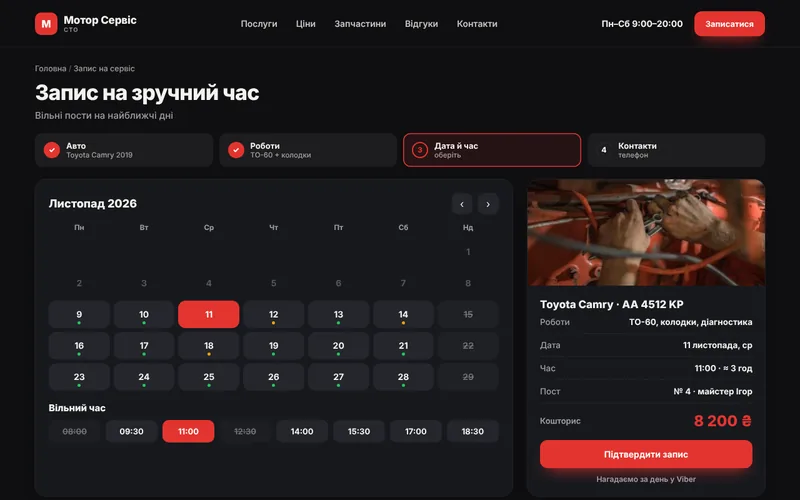
Online booking

Choose a service, date and time, with confirmation in a messenger.
pv-ic-seo-o

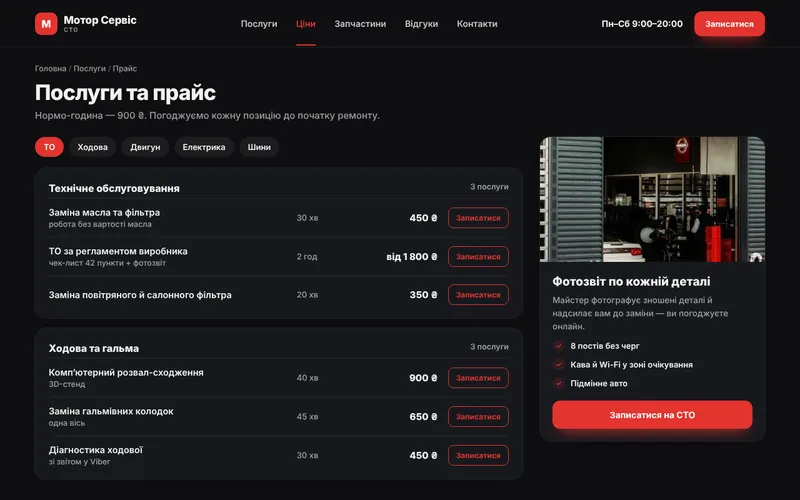
Service pages

Maintenance, diagnostics, suspension, electrical — separate pages optimized for search.
pv-ic-shield-o

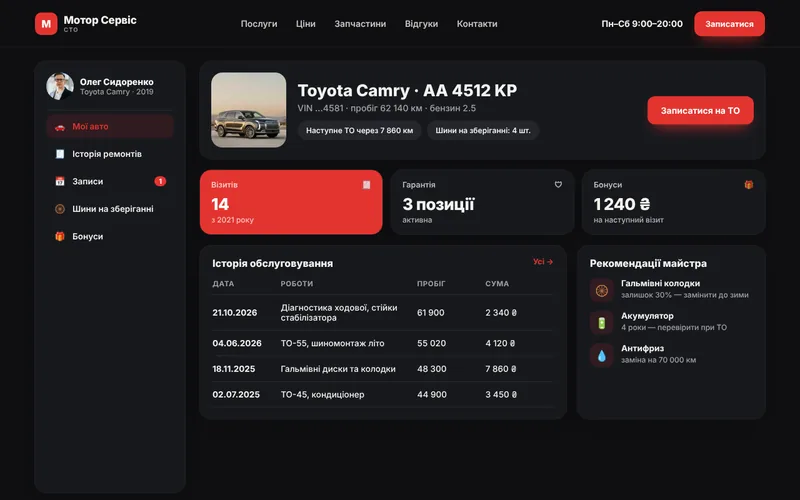
Service history

Customers see what was done on their vehicle and when.
pv-ic-auto-o

Maintenance reminders

Automatic messages based on mileage or time.
pv-ic-shop-o

Parts store

Oil, filters, accessories — with delivery or pickup.
pv-ic-ai-o

AI consultant

Explains symptoms of malfunctions and suggests booking.
pv-ic-chart-o

Workload analytics

See peak days, popular services and customer sources.
pv-ic-ads-o

Local advertising

Landing pages for “auto repair near me” queries and high-ticket services.

How it works

The client journey from click to order

What happens on the site step by step — and where your team comes in.

1Customer finds youThey arrive from search, ads or social media and immediately see what you offer.
2Service price calculatorPrices by make and model with labor hours and duration.
3Online bookingChoose a service, date and time, with confirmation in a messenger.
4Service pagesMaintenance, diagnostics, suspension, electrical — separate pages optimized for search.
5You receive the requestThe request lands in your CRM and messenger with all details — you just confirm.

Structure

Which screens will be on the site

The core pages of the solution, so you can see the scope of work and site logic right away.
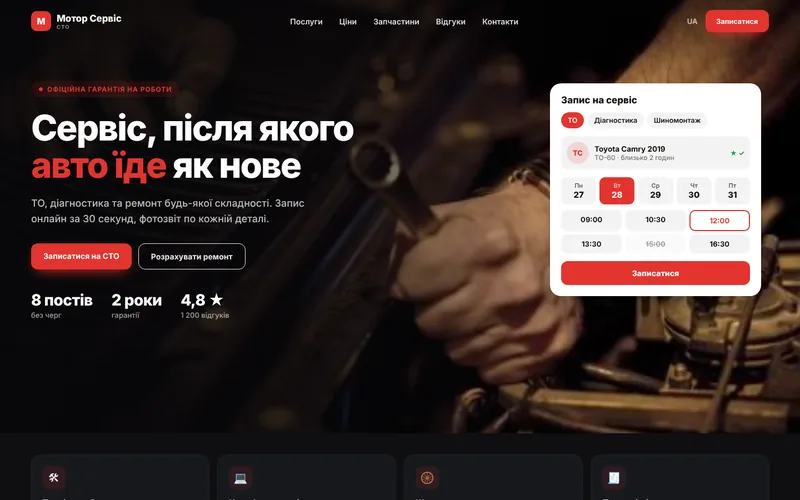
Screen 1
Auto repair shop homepage — website screen example
Shop homepage
Screen 2
Job pricing — website screen example
Job pricing
Screen 3
Services and price list — website screen example
Services and price list
Screen 4
Time slot booking — website screen example
Time slot booking
Screen 5
Service history — website screen example
Service history
Screen 6
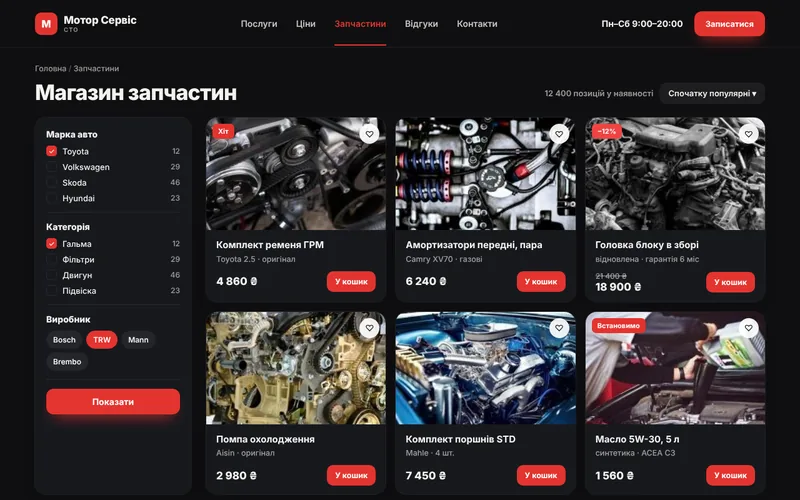
Parts store — website screen example
Parts store

Integrations

We connect the tools you already use

Your website doesn't work in isolation: leads, payments, documents and notifications flow between your services automatically.

CRM / auto shop managementOnline paymentsCardsMessengersSMS notificationsWeb analyticsContextual advertisingParts catalogs

Packages

Packages for auto repair shops

We fix the package contents in the brief, and discuss pricing individually based on your goals.

StartOn request7–10 daysAuto repair website with services and booking.
  • Design tailored to the service brand
  • Service pages and price list
  • Booking form and notifications
  • Map, contacts, SEO foundation
BusinessOn request2–3 weeksWebsite with a calculator and booking schedule.
  • Everything from the “Start” package
  • Calculator by vehicle make
  • Booking for a specific time
  • CRM integration
MaximumOn requestfrom 4 weeksOnline service: history, reminders, store.
  • Everything in the «Business» package
  • Vehicle service history
  • Maintenance reminders
  • Spare parts store

Process

How we work

01

Brief and audit

We analyze your processes, competitors and what is bringing you revenue right now.
02

Prototype and design

Page structure and visuals: you see the result before development.
03

Development and integrations

We build the website, modules, payments and notifications, then test on real scenarios.
04

Launch and growth

We move to the production server, train your team and provide ongoing support.
1Our prices depend on the vehicle

That's exactly how the calculator works: pricing is set by make, model, and standard labor hours.

2Can we show available time slots?

Yes. Clients see open times, and you manage the schedule in the admin panel.

3Is integration with accounting required?

It's not required to get started, but it eliminates duplicate entry of requests.

4How do we send maintenance reminders?

Based on the date of the last visit or mileage — messages are sent automatically.

Contacts

Tell us about your challenge — we'll propose a solution

Describe how everything works right now. We'll come back with a solution, budget and timeline.

  • Quick project assessment and work plan
  • Fixed stages and transparent budget
  • One team: development, AI, and advertising
  • Support and growth after launch

Project inquiry